There is a version of 883V Game that lives entirely in your browser. No APK to download. No storage space used. No installation steps. No settings to change on your phone.
You open a browser, go to 883vgame.com, log in, and the complete platform is right there. Every game. Your full wallet. Every bonus. Tournament access. Deposit and withdrawal functions. VIP tracking. Support chat. All of it.
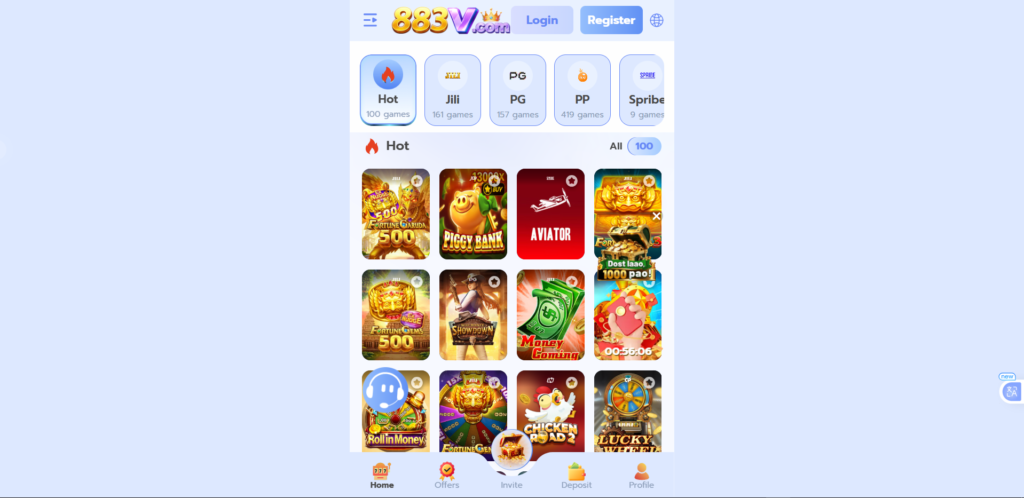
Who the Web Version Is Built For?
iPhone users who cannot install Android APKs and want full access to 883V Game without going through an App Store that does not list the platform.
Laptop and desktop users who prefer a bigger screen for live casino tables, sports betting, and tournament play.
Players with limited phone storage who cannot install another app but still want to access the platform regularly.
Players who want to try before installing who want to explore the full platform before committing to an APK download.
Anyone switching devices who wants to log in quickly from any device without setup.
How to Access
Open any browser on any device. Type 883vgame.com. Tap Go or press Enter. Log in with your account details. You are in.
The platform loads within a few seconds on a standard mobile data connection. After the initial load, navigation between sections and game launches is fast.
Add to Home Screen for Instant Access
Android (Chrome)
- Open Chrome and go to https://883vgame.com/
- Tap the three-dot menu at the top right
- Tap Add to Home Screen
- Name it and tap Add
- 883V Game icon now appears on your Android home screen
iPhone (Safari)
- Open Safari and go to 883vgame.com
- Tap the Share icon at the bottom of the screen
- Scroll and tap Add to Home Screen
- Tap Add in the top right
- 883V Game icon appears on your iPhone home screen
After adding to your home screen, opening the icon launches 883V Game in full-screen mode. No browser address bar. One tap access. Identical to an installed app in appearance and behaviour.
Web Version vs App: The Real Differences
| What You Are Comparing | Web Version | Android App |
| Download required | No | Yes |
| Storage used | None | Small amount |
| iPhone compatible | Yes | No |
| iPad compatible | Yes | No |
| Desktop compatible | Yes | No |
| Push notifications | No | Yes |
| Game access | Complete | Complete |
| Wallet access | Complete | Complete |
| Withdrawal function | Full | Full |
| VIP sync | Yes, automatic | Yes, automatic |
| Always current version | Yes | Yes, auto-updates |
Push notifications are the only meaningful functional difference. If you want alerts for free spin availability, tournament start times, and seasonal bonus windows, the Android app delivers those. The web version does not.
For game access, wallet management, earning, and withdrawing there is no difference. Both are the same complete platform.
What You Can Do on the Web Version?
- Play all 50 plus games including slots, Teen Patti, poker, rummy, live casino, color prediction, fishing games, and sports betting
- Join weekly competitive tournaments
- Claim your daily login bonus
- Complete daily and weekly missions
- Deposit through JazzCash, EasyPaisa, or bank transfer
- Withdraw your earnings with zero platform charges
- Track your complete transaction history
- Monitor your VIP level and progression
- Use your referral link and track agent commission
- Contact support through live chat
Getting Better Performance on the Web Version
Use Wi-Fi for the first session on a new browser. The first load downloads some content locally to improve future performance. Wi-Fi makes this noticeably faster and uses no mobile data allowance.
Keep your browser updated. Modern browsers handle web-based platforms significantly better than outdated versions. Most phones update browsers automatically but check yours occasionally.
Close unused tabs before playing. A browser with twenty open tabs runs game sessions less smoothly than one with a few. Clear unnecessary tabs before starting a game.
Use Safari on iPhone. Safari is Apple’s native browser and delivers the best performance for web-based platforms on iPhone compared to third-party browsers.
Landscape mode on tablet. For live casino tables and sports betting, rotating your tablet to landscape orientation gives you a noticeably wider and more comfortable view.
FAQs
If I win on the web version does it show in the app?
Yes. Your balance updates in real time across all access points. Win on the web version, open the app, the balance is already updated.
Can I run the web version and the app on the same account simultaneously?
We recommend using one access point at a time. Simultaneous active sessions can cause unexpected behaviour in wallet updates.
Does the web version work offline?
No. An internet connection is required at all times. The web version has no offline capability.
Is the web version secure?
Yes. The same SSL encryption that protects the app applies to all transactions through the web version. The security level is identical regardless of access method.
883V Game Web Version | Play Online in Browser For Free

Push notifications are the only meaningful functional difference. If you want alerts for free spin availability, tournament start times, and seasonal bonus windows, the Android app delivers those. The web version does not.
Price: Free
Price Currency: PKR
Operating System: Web Browser
Application Category: Casino Game
4.9