The App Store does not list 883V Game. This is a common situation for real money gaming platforms in Pakistan and around the world due to Apple’s policies on this category of app.
What this does not mean is that iPhone users cannot play 883V Game. It means iPhone users access it differently.
Open Safari. Type 883vgame.com. Tap Go. Register or log in. That is the complete installation process for iPhone. Nothing downloaded. Nothing installed. No changes to your iPhone settings.
The full 883V Game platform runs directly in your Safari browser. Every game, your complete wallet, all bonuses, deposits, withdrawals, VIP tracking, and support chat are available exactly as they are on Android.
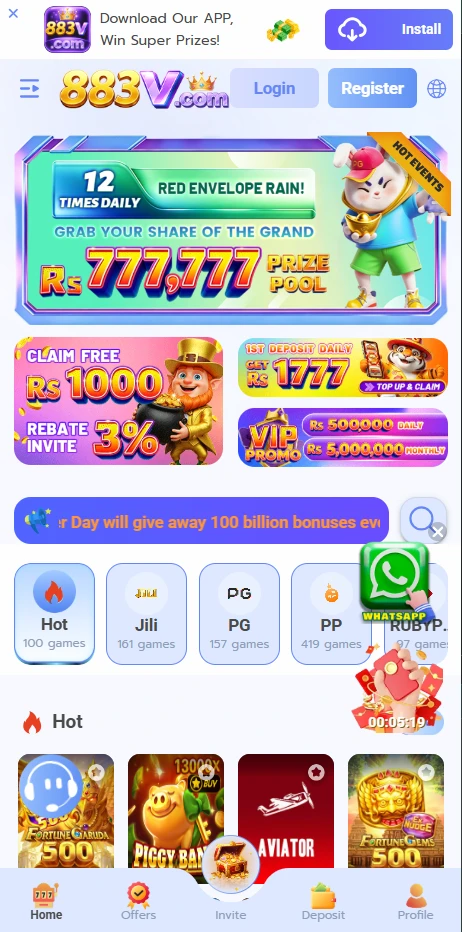
Setting Up on iPhone: Step by Step
Step 1. Open Safari on your iPhone. Use Safari specifically for the best experience.
Step 2. Type 883vgame.com into the address bar.
Step 3. Tap Go. The platform loads.
Step 4. Tap Register if you are new. Fill in your mobile number, create a password, enter a referral code if you have one, and verify with OTP.
Step 5. Tap Login if you already have an account. Enter your number and password. Complete OTP if on a new device.
Step 6. Add to Home Screen for better access going forward.
Adding 883V Game to Your iPhone Home Screen
This takes ninety seconds and makes every future session significantly more convenient.
1. With 883vgame.com open in Safari, tap the Share button. It is the icon at the bottom centre of your screen that looks like a square with an upward arrow.
2. Scroll through the share menu options that appear from the bottom.
3. Tap Add to Home Screen. If you do not see it immediately, scroll further down the list.
4. You can edit the name if you want or leave it as is.
5. Tap Add in the top right corner.
6. Find the 883V Game icon on your home screen.
Opening the platform from this icon launches it in full-screen mode without the Safari address bar. It looks like a native app. One tap to open. Everything works identically to any other method of access.
Full Feature Access on iPhone
| Feature | iPhone Access |
| All games | Full access |
| Live casino | Full access |
| Sports betting | Full access |
| Tournaments | Full access |
| JazzCash deposit | Full access |
| EasyPaisa deposit | Full access |
| Withdrawals | Full access |
| Zero platform fee on withdrawals | Yes |
| Daily bonus | Full access |
| Missions | Full access |
| Referral program | Full access |
| Agent commission | Full access |
| VIP level | Full access, auto-synced |
| Transaction history | Full access |
| Support chat | Full access |
| Urdu language | Full access |
| Push notifications | Not available on iPhone |
Push notifications are the one thing iPhone users do not receive. They require an installed app and Safari-based platforms cannot deliver them on iOS. The solution is simple: open the Promotions section every time you log in. It takes ten seconds and shows you everything active at that moment.
iPhone Models That Work
Every iPhone model that can run a current version of Safari works with 883V Game.
- iPhone 6S and above
- iPhone SE (first, second, and third generation)
- iPhone 7 and 7 Plus
- iPhone 8 and 8 Plus
- iPhone X, XS, XS Max, XR
- iPhone 11, 11 Pro, 11 Pro Max
- iPhone 12, 12 Mini, 12 Pro, 12 Pro Max
- iPhone 13, 13 Mini, 13 Pro, 13 Pro Max
- iPhone 14, 14 Plus, 14 Pro, 14 Pro Max
- iPhone 15, 15 Plus, 15 Pro, 15 Pro Max
- iPhone 16 series
If your iPhone is running iOS 13 or later, it runs 883V Game through Safari without any issues.
Tips for the Best iPhone Experience
Safari only. Third-party browsers on iPhone work but Safari delivers the smoothest experience for 883V Game specifically. Chrome and Firefox on iOS have more restrictions than Safari does.
Add to Home Screen first. Do this before your first game session. Full-screen mode makes every session more comfortable than playing with the browser address bar visible.
Wi-Fi for initial setup. Load 883vgame.com for the first time on a Wi-Fi connection. Safari downloads some content locally on the first visit to improve future loading speed.
Keep iOS updated. Safari updates with iOS. Newer iOS versions deliver better performance for web-based platforms. Check your update settings periodically.
iCloud Keychain for login. Enable iCloud Keychain in your Safari settings and allow it to save your 883V Game credentials. Logging in on your iPhone becomes one tap with Face ID or Touch ID.
Depositing and Withdrawing on iPhone
The wallet on iPhone works identically to every other access method.
To deposit: Go to Wallet, tap Deposit, choose your method, enter the amount, note the payment details shown, complete the payment in your JazzCash or EasyPaisa app, return to Safari. Balance updates within minutes.
To withdraw: Go to Wallet, tap Withdraw, enter the amount, select your method, verify your account number digit by digit, tap Confirm. Zero platform charges. Full amount sent. JazzCash and EasyPaisa arrive within minutes.
Why 883V Game Is Not on the App Store?
Apple’s App Store has specific policies regarding real money gaming apps that affect availability across many countries. Most real money gaming platforms worldwide are not listed on the App Store for this reason.
This is not a reflection of the platform’s legitimacy. It is a reflection of Apple’s App Store policies. The Safari browser access method is how these platforms serve iPhone users globally and it works as well as any installed app for all functional purposes.
FAQs
Do I need to install a profile or change any iPhone settings to use 883V Game?
No. Open Safari, go to 883vgame.com, log in. No profile installation. No settings changes. Nothing.
Will using 883V Game in Safari slow down my iPhone?
No more than any other website. A tab running an active game session uses some processing power and battery. Closing Safari when you are done frees those resources immediately.
Can I receive support through Safari on iPhone?
Yes. The in-app live chat works identically on iPhone through Safari. Log in, tap the Support icon, and start a chat. The same team responds with the same response times.
What if Safari says the site is not secure?
This should not happen. 883vgame.com uses HTTPS and valid SSL security certificates. If you see a not secure warning, you may have typed the URL incorrectly. Confirm you are at 883vgame.com exactly.
Can I use 883V Game on iPad?
Yes. The same Safari-based approach works on iPad. The larger screen is particularly good for live casino and sports betting formats.
883V Game for iPhone iOS | No App Store Needed | 2026

Play 883V Game on your iPhone at 883vgame.com. No App Store. No downloads. Open Safari and play everything instantly. Complete iPhone guide Pakistan 2026.
Price: Free
Price Currency: PKR
Operating System: iOS Device
Application Category: Casino Game
4.9